See it work
See the whole day, start to finish.
Follow one bus through one school day. Casey Lund walks around Bus 22 at 5:30 AM and signs the pre-trip with one tap. On the afternoon post-trip Casey finds a headlight out, and Mick Arden in the shop knows within seconds. The paperwork takes care of itself.
Shown with made-up demo data
Pick a role
One bus. One day. Four people.
Each person sees only what they need, and every step lands in the same record. Pick one to see their side of the day.
The driver · Casey Lund
Walk around the bus. Tap once. Go.
No clipboard, no app store and no password. A four-digit PIN from the supervisor, and one green button.
Drivers can use the phone they already carry. For a driver who doesn't carry one, we provide a tablet for $8 a month; ask Bob for the terms.
“Drivers picked it up on day one — adoption has been the easiest part.”
-
First sign-in
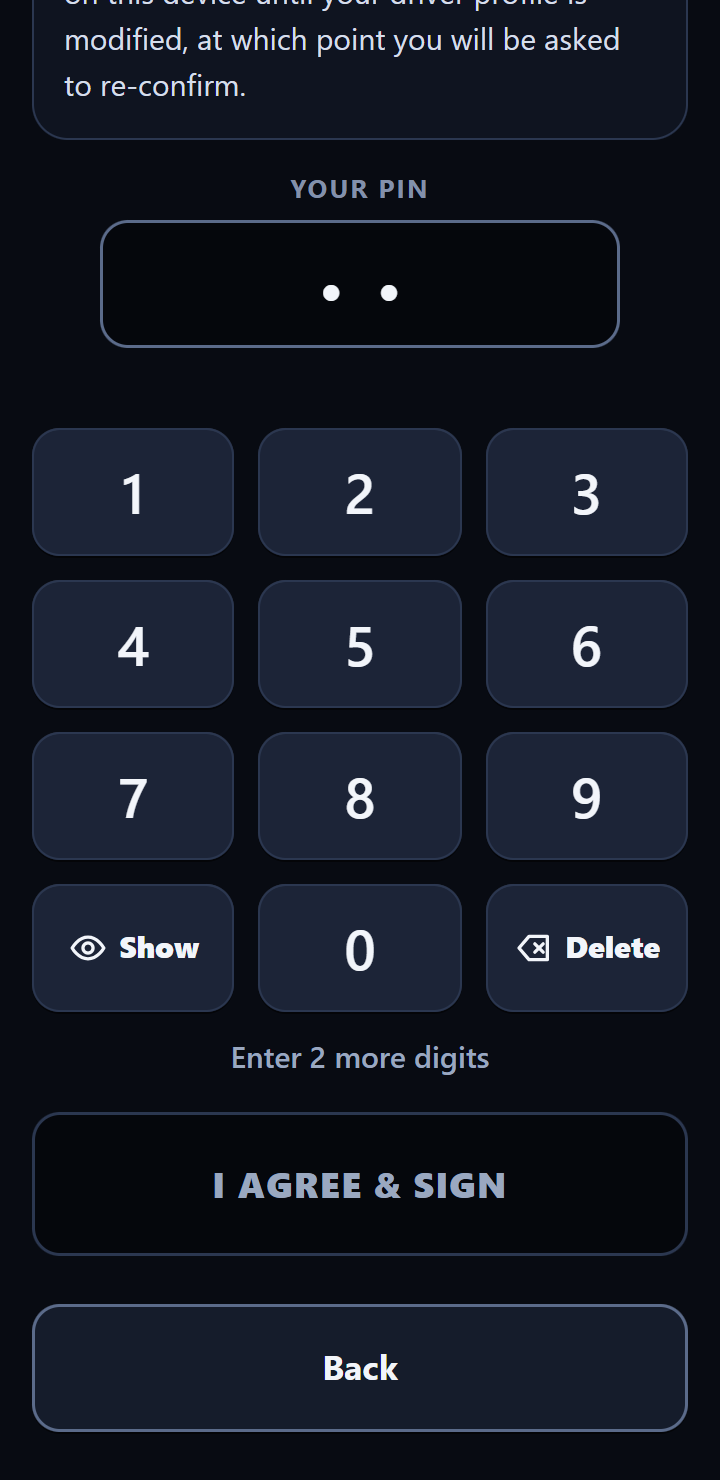
Sign once with a PIN
The supervisor assigns Casey a four-digit PIN. The first time, Casey reads the Driver Electronic Signature Agreement and signs it with that PIN. It's asked for again after a bus change.
-
5:30 AM
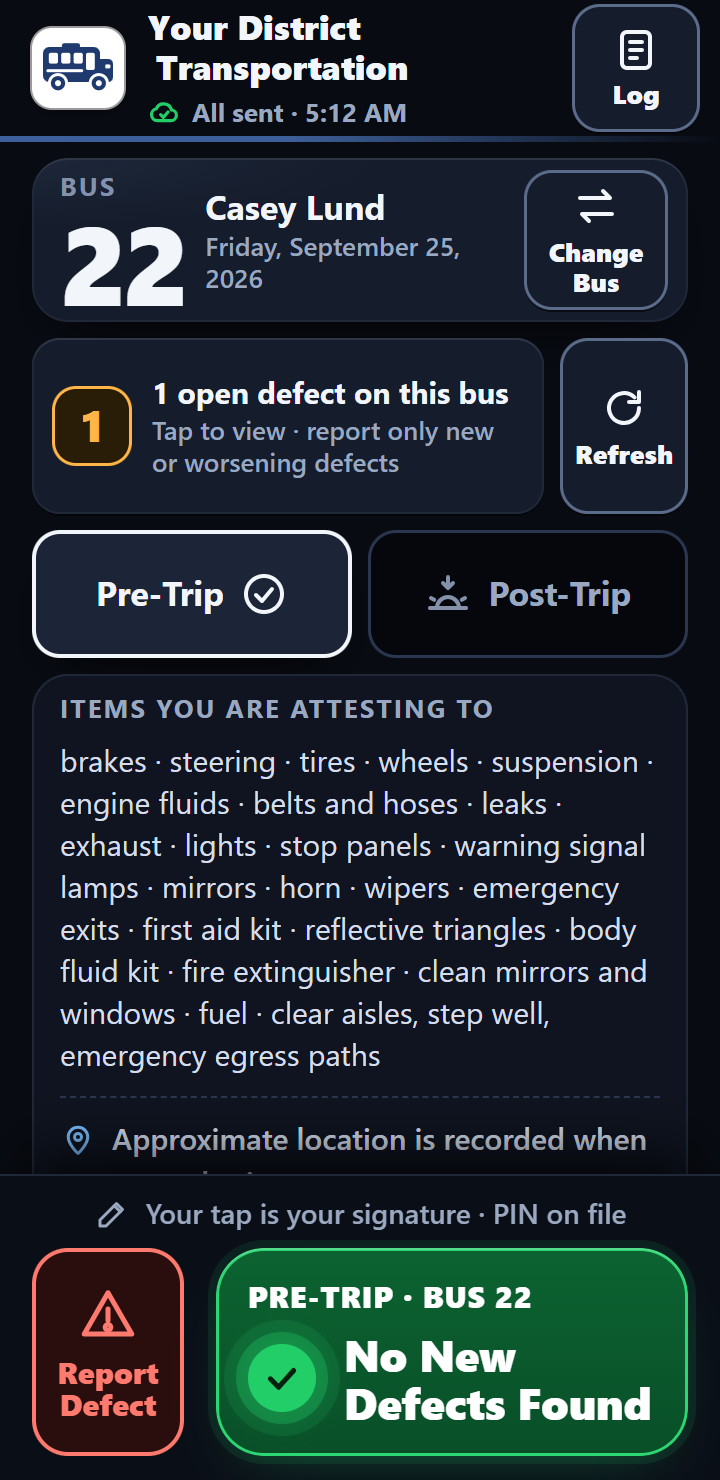
Walk around Bus 22. Tap once.
The app already knows it's a pre-trip. After the walk-around, Casey taps No New Defects Found. That one tap signs the report with the PIN on file.
-
5:42 AM
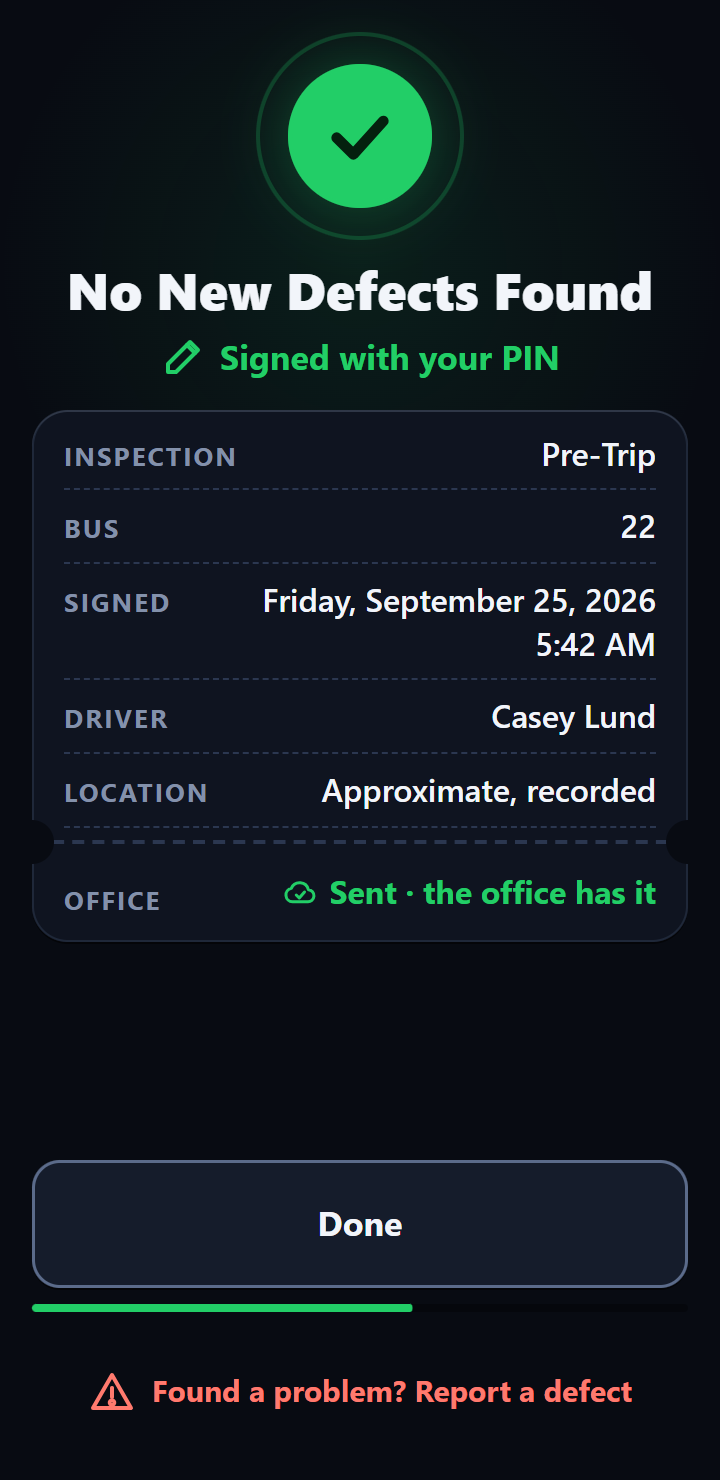
Signed and sent
The report goes to the office with the time and, when the phone can get one, an approximate location. With no signal, it waits on the phone and sends itself once signal is back, while the app is open or the next time it's opened.
-
3:48 PM
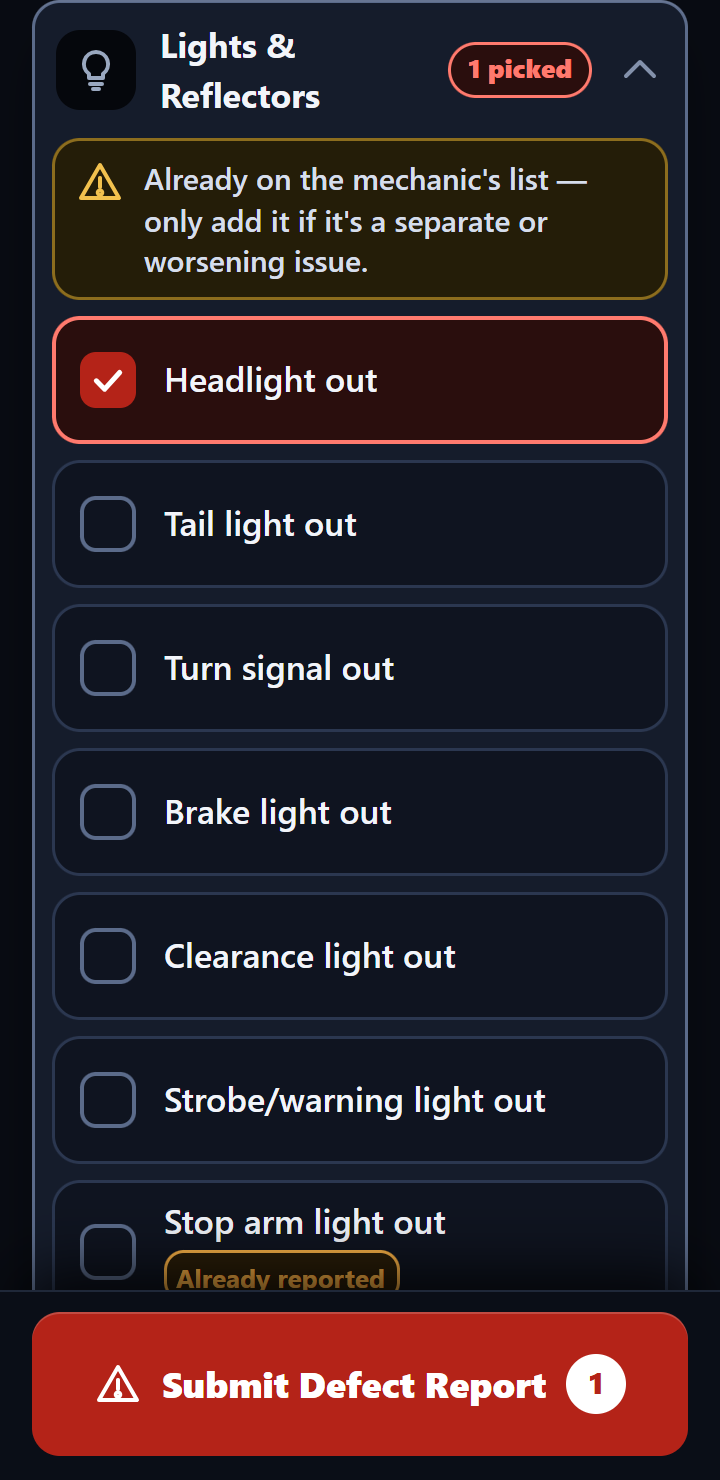
Post-trip: a headlight is out
Casey opens Lights & Reflectors, taps Headlight out and sends it. When the phone has signal, anything already on the mechanic's list shows right there, so there's no need to report it again.
Out of Service
5:02 AM, Bus 14: the shop has pulled it.
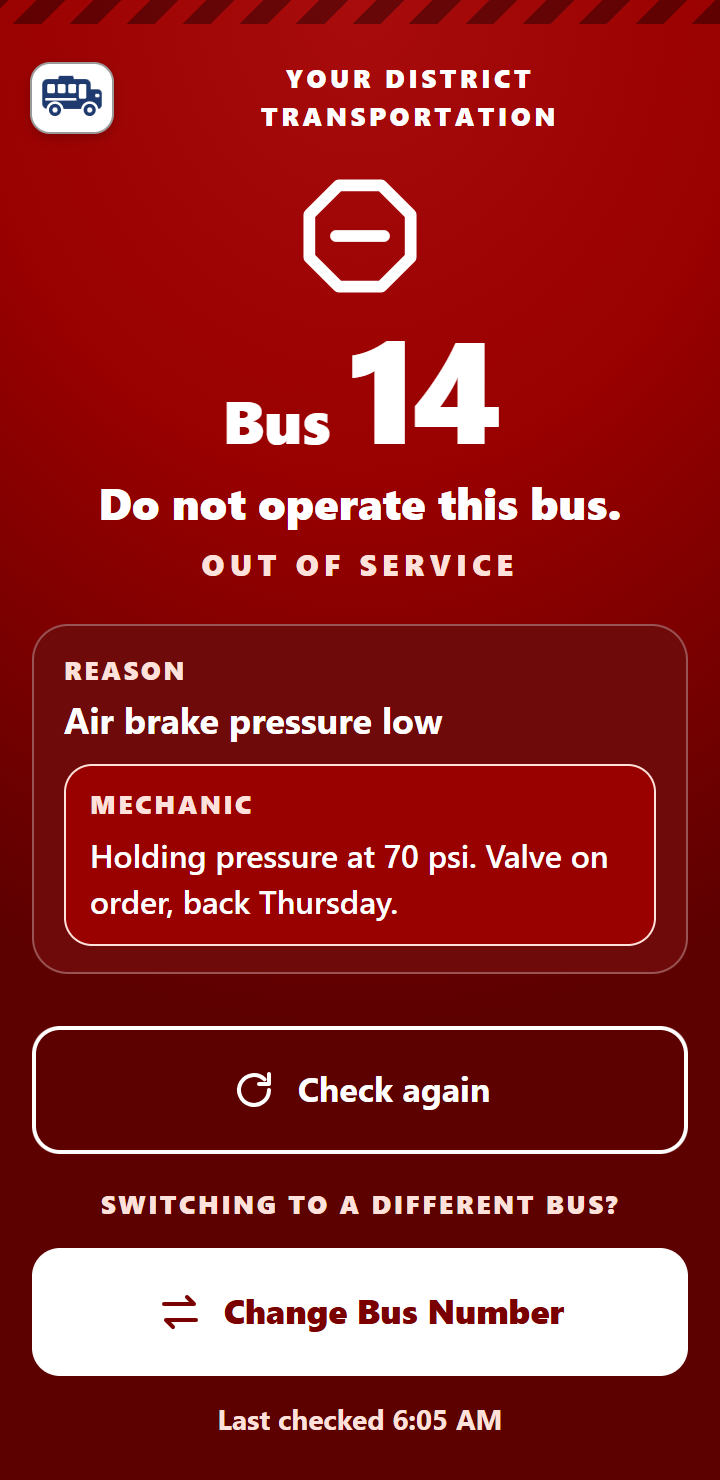
Bus 14's air brake pressure is low, so Mick marked it Out of Service. When the next driver who picks Bus 14 has signal, the phone shows a full red screen: Do not operate this bus, with the reason and the mechanic's note. When the repair is done and the bus is cleared, the warning clears too.
The phone hears about it when it checks in with the office. After that it remembers, so the red screen still shows in a dead spot, with the time it last checked. A phone that hasn't had signal since the bus was pulled can't know yet. The warning isn't sent as a text or an email.
The mechanic · Mick Arden
The shop hears about it in seconds.
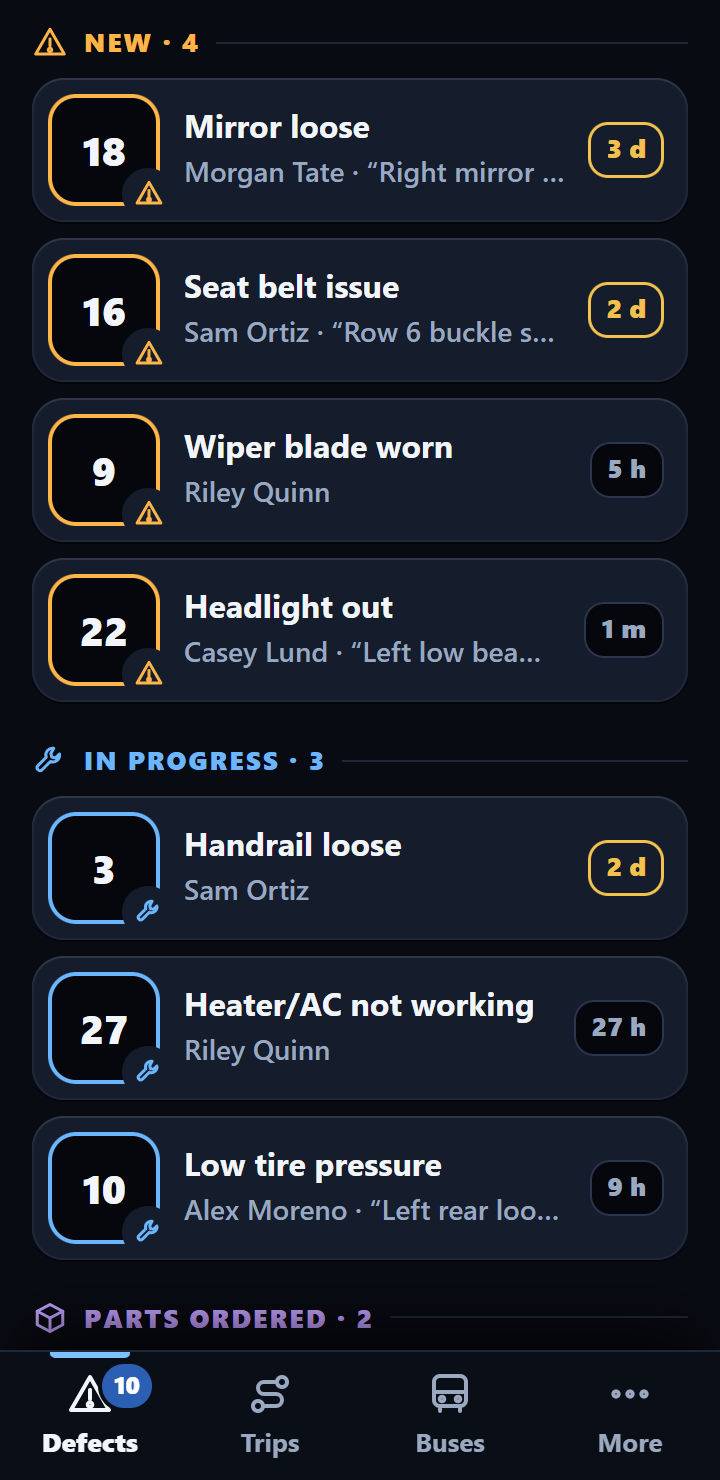
Every defect lands on Mick's phone with the bus, the problem and the driver's own words. He tracks each repair until it's done, and the driver can see where it stands.
-
Within seconds
A text, an email, and it's on the list
Seconds after Casey taps Submit, Mick gets a text with the bus and what's wrong, and an email with Casey's own note and a map link. The new defect lands in his list of open defects, marked as new.
-
A minute later
Open it. Set where it stands.
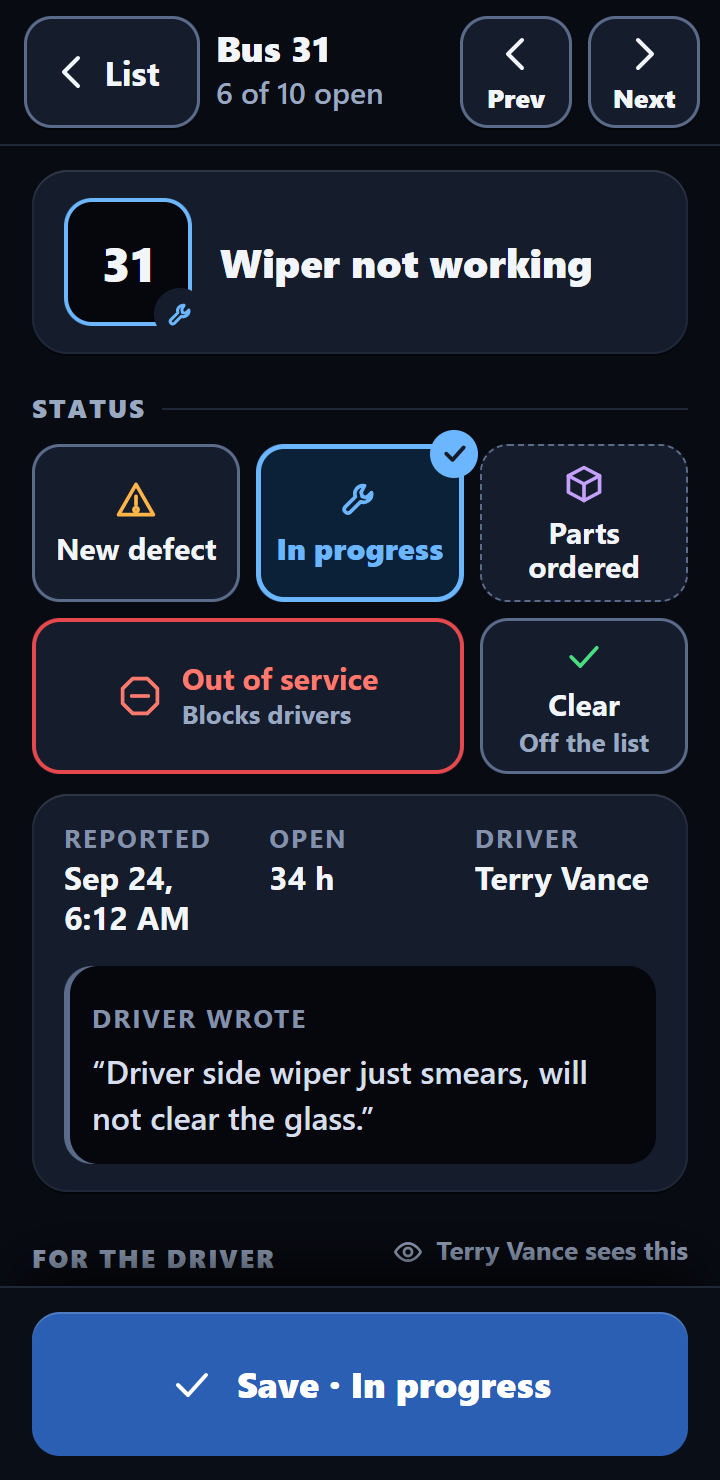
Mick sees who reported it, when, and what they wrote. He sets the status and can write the driver a message. Quick replies like “Fixed” or “Parts on order” fill it in with one tap.
-
When it's fixed
Cleared, and the driver knows
Mick marks it Clear with a message for Casey. The next time Casey's phone checks in with signal, the message shows on the screen. Casey taps Got It, and the office records the tap.
Five statuses
In the shop
The whole fleet on one screen.
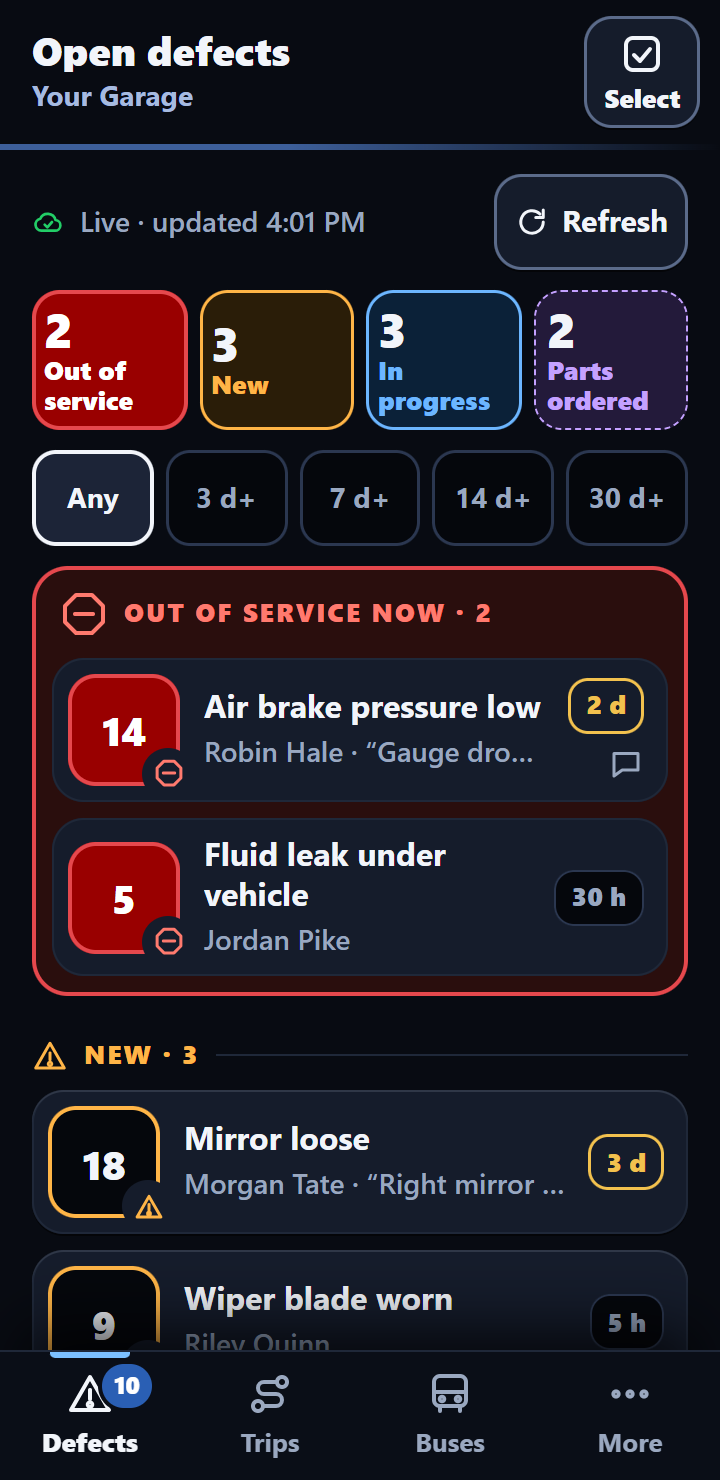
The mechanic app also opens on a tablet or a computer in the shop: the same open-defects list, on a bigger screen.
- Every open defect in the fleet, with who reported it and where the repair stands.
- Tap Select to change the status of several defects at once.
- Every change takes a mechanic password, and five wrong tries lock that device out for 15 minutes.
The supervisor
The paperwork shows up on its own.
No chasing clipboards, no building a report at the end of the month. Here's what arrives, and when.
-
3:48 PM · within seconds
A text and an email for every defect
The same alerts the mechanic gets: a text with the bus and what's wrong, and an email that adds who found it, the driver's own note and a map link. You choose who receives them.
-
Overnight · if you want it
Quiet hours
Each person's defect texts can be silenced during an overnight window you pick, so a late post-trip doesn't wake them. The email still goes out.
-
The 1st of every month
One PDF, every bus
Before the office opens on the 1st, the month's report is in the supervisor's inbox: every bus's inspections, defects and repairs in one printable file. A PDF for each bus is saved to Google Drive as well.
-
Any month, any time
Need March again?
Any month's report runs again on request, for the whole fleet or just the buses you pick, ready to hand to an auditor or the board.
The business office · Mileage & Pupil Tracker
Miles and head counts, without the clipboard.
With the Mileage & Pupil Tracker add-on, drivers log each route and trip in a few taps, and the business office has the numbers on the 1st.
-
7:48 AM · after the morning route
Log the run in a few taps
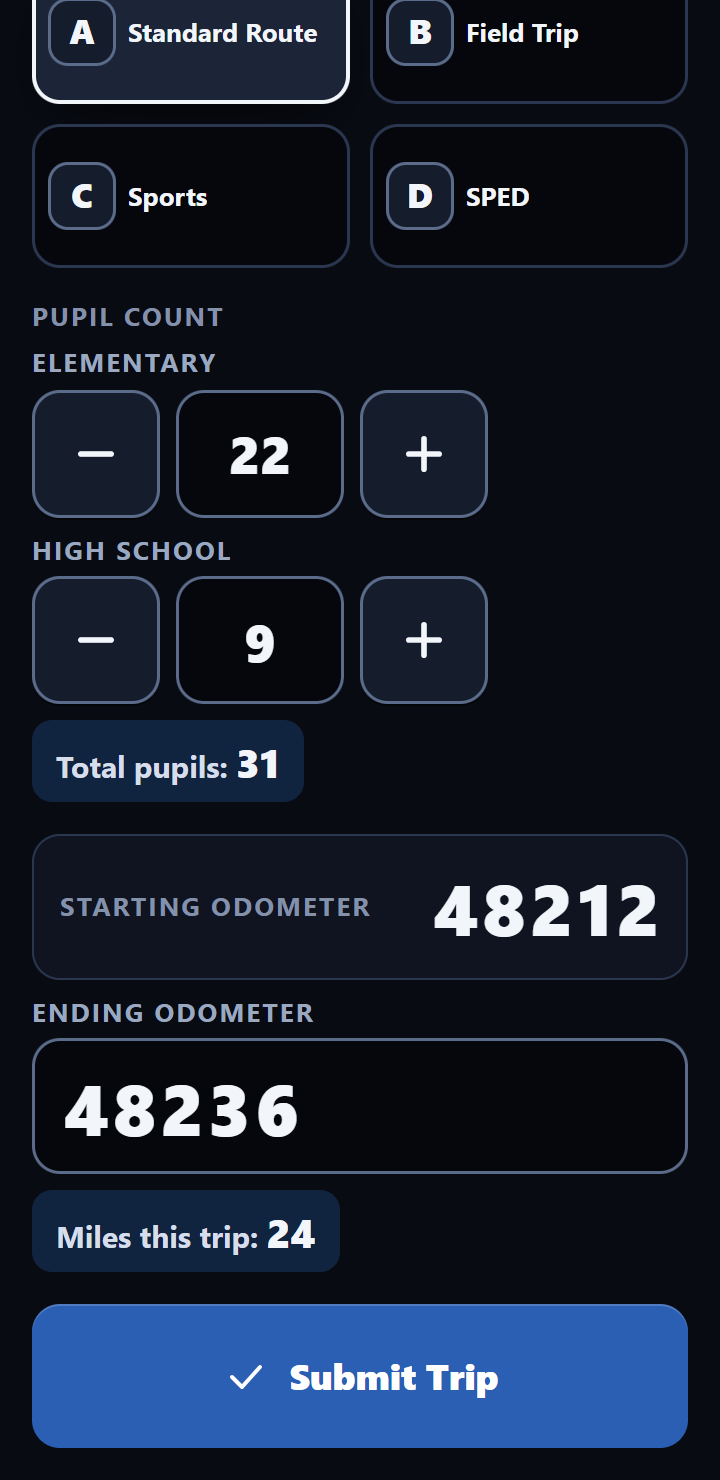
Casey picks the trip type, enters elementary and high school pupil counts, and the ending odometer. The starting reading carries over from the bus's last trip; the phone gets it from the office when it has signal. Trips aren't signed and don't record a location.
-
Right then
A second look at odd numbers
If the miles are far off that bus's usual for the run, the app asks “Does this look right?” before the trip goes in. Casey fixes it or confirms it, and the office double-checks it with its own numbers and sends anything still off to the supervisor for a second look.
-
Every night
Workbooks that fill themselves
Two view-only Google Sheets, Bus Mileage and Bus Ridership, bring themselves up to date overnight.
-
The 1st of every month
The monthly mileage and pupil report
A separate email for the business office: miles by trip type and pupil counts for every bus, as a PDF, with Excel workbooks if you want them.
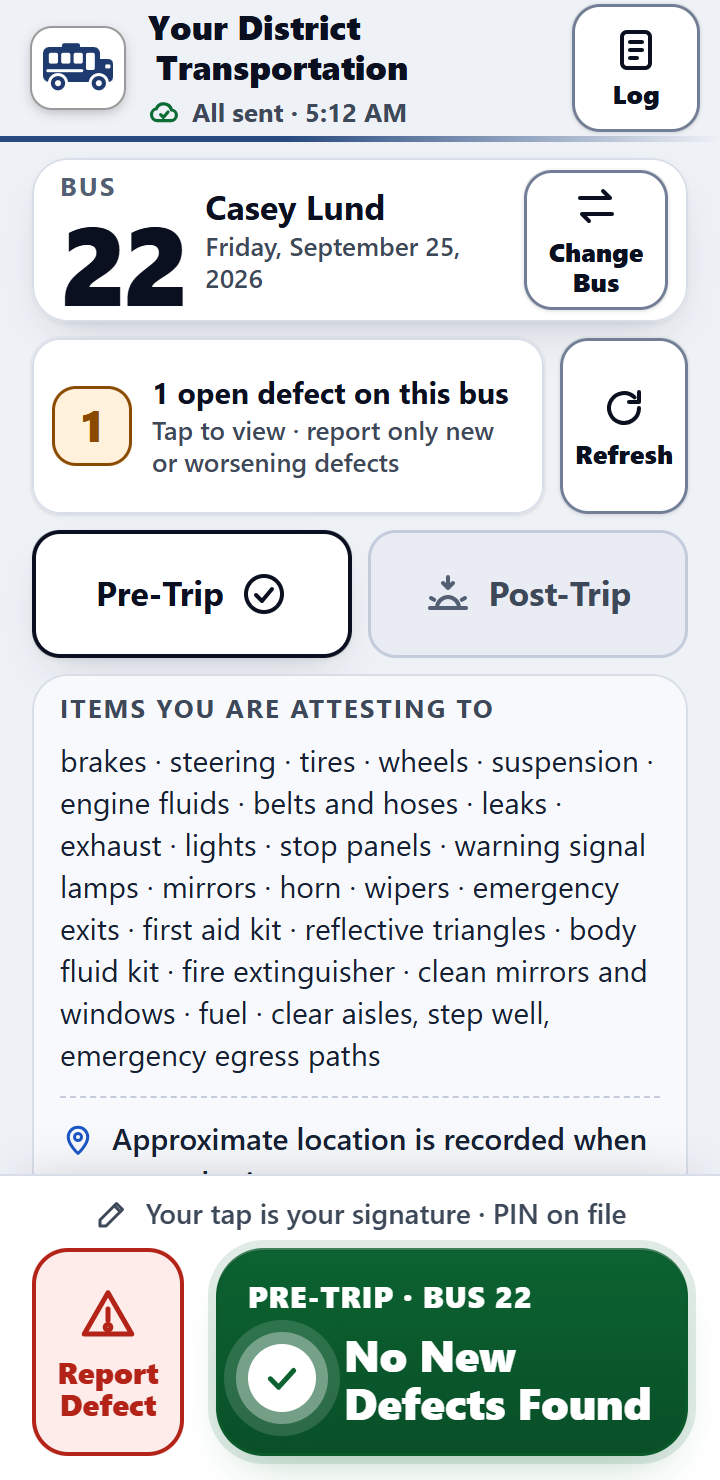
Night and Day
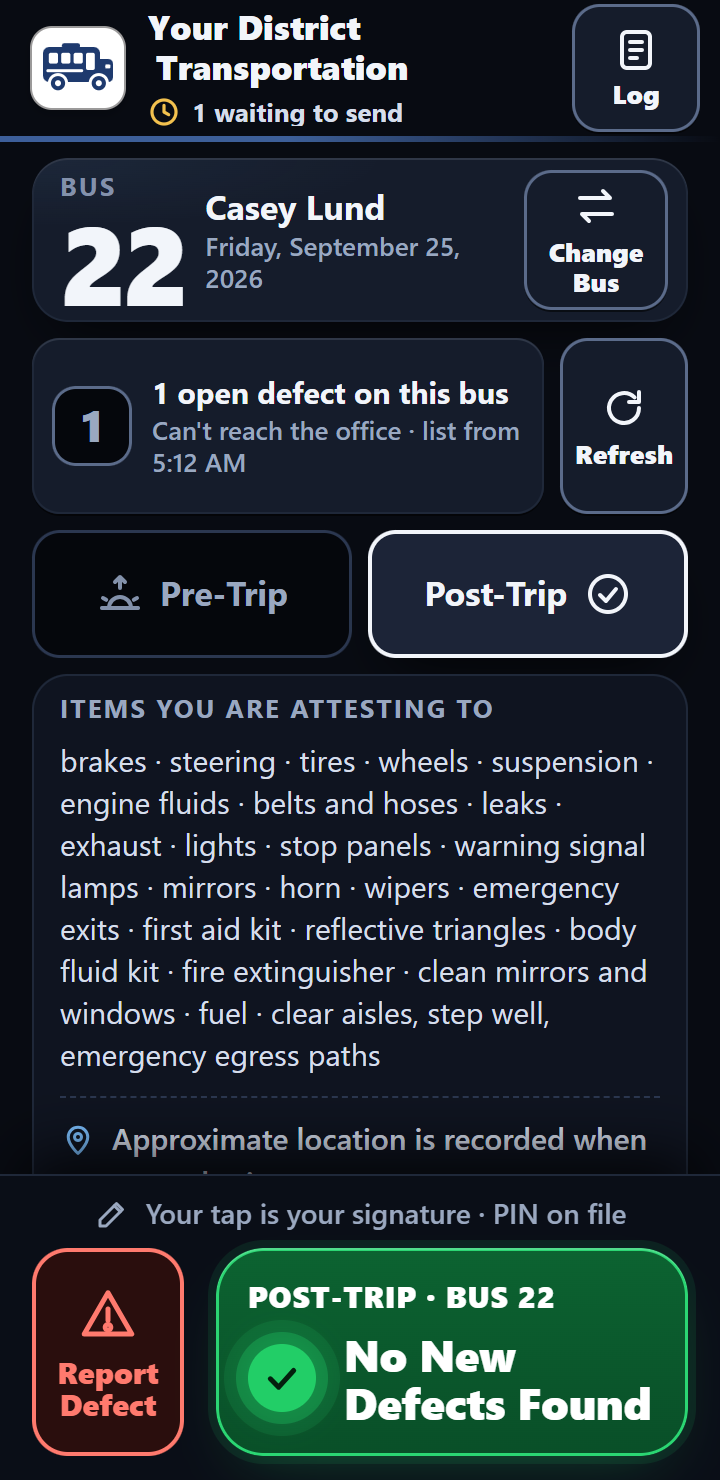
Calm at 5:30 AM. Readable in snow glare.
The same screen, two ways. Night is dim in a dark yard, and only the green button lights up. Day is crisp and high-contrast when the sun is on the snow. Drivers can switch any time.
-
Big buttons for cold handsThe buttons a driver needs are big and easy to hit with cold hands or touchscreen gloves.
-
Never color aloneEvery status carries an icon and a word, so it reads the same in any light.
-
Your district on every screenYour district's name and logo on the app, so drivers know they're in the right place.
No signal
One bar in the yard, or none.
Bus barns and back lots have dead spots. The driver finishes the inspection anyway, and the screen says plainly where it stands.
- No bars The inspection saves on the phone. The screen says it's waiting to send.
- Signal comes back It sends by itself while the app is open, or the next time the app is opened.
- The office has it The same record, with its own ID, so it's never counted twice.
Let's walk through your garage's morning.
Tell Bob how many buses and drivers you run and what you use today. He'll show you the app and answer every question himself.
Serving Washington school bus garages. Calls returned the same day. See pricing