One-Touch DVIR is a web app your drivers open on their phones. It installs nothing on district computers and doesn't need the district network or single sign-on. Here's where the records live, what's collected, who can see it, and what happens on a bad day, in plain English.
Office script, on GoogleChecks each record, stamps the office's own time, and files it
Master sheetOn Google, in an account we manageThe records are yours
Text alertsTelnyx
Email + monthly PDFGoogle
Nightly backupKept 30 days
Every district gets its own set: its own sheet, office script and web addresses. There is no shared database.
0installs
on district computers, servers or networks. It's a web page on a phone.
1per district
Every district gets its own sheet, office script and web addresses. No shared database.
30days
of nightly backups. A copy of your master sheet is saved every night.
72hours
We tell your district within 72 hours of confirming an incident that affects its records.
What it is
A web page on a phone. That's the whole install.
Drivers open a link or scan a QR code, then add the app to their home screen. It runs in the phone's web browser, over HTTPS, like any secure website.
No app store and no device management. Nothing to push to phones.
No single sign-on and no directory, and the apps don't use your Google or Microsoft sign-ins. Your supervisor's live access to the master sheet is a Google Sheets share to their email address, so if your district blocks files shared from outside accounts, IT may need to allow it.
Nothing installed on the district network. Drivers can use cellular data or Wi-Fi.
Works on iPhone, Android and tablets. Drivers can use the phone they already carry. For a driver who doesn't carry one, we can provide a tablet for $8 a month. Ask Bob for the terms.
The footprint, question by question
Software on district computers or servers
None
App store or device management (MDM)
None. It's added to the home screen from a link.
Single sign-on or directory
Not used. Your supervisor's sheet access is a Google share to their email.
District network or Wi-Fi
Not needed. The app works on cellular data or Wi-Fi.
Firewall changes
No firewall changes. A web filter on district devices needs two web addresses allowed.
Tracking cookies, analytics, ad scripts
None
Removing it
Delete the icon from the home screen and clear the browser's data for it
What IT needs to do
Usually nothing.
If drivers use their own phones on cellular data, there's nothing for IT to do for the apps.
If they use district-issued phones or tablets with web filtering, allow the two web addresses we send you at setup: one for the driver app and one for the mechanic app.
If your district blocks Google files shared from outside accounts, allow the master sheet shared to your supervisor.
What's saved on a driver's phone
Only what the driver needs.
The driver's name, PIN and bus number, their own recent inspections, and anything still waiting to send. It sits in the phone's browser storage, not in contacts, photos or messages.
Remove the app and clear the browser's data for it, and it's gone from the phone. Let anything waiting finish sending first.
Where records live
Your district owns every record. It's in the agreement.
Where the records are hosted and who owns them are two different questions. Here are both answers. Your supervisor has live access to every record, and a PDF of every bus arrives on the 1st of each month.
Hosted on Google
Your records are kept in a Google Sheet on Google, in an account we manage. Google does the hosting. The apps reach it through your garage's own app site at Netlify. We don't run a server of our own.
A separate system for each district
Your district gets its own sheet, its own office script and its own web addresses for the apps. There's no shared database, and no district can see another district's records.
A complete copy, any time
Ask and we'll send your district a complete copy of its records. When the agreement ends, you have 30 days to take one, at no charge.
What the agreement says about your records
Your district owns its records. As between us and your district, every record is your district's.
A complete copy whenever you ask, at no charge.
Your district keeps its records under Washington law and decides how long to keep them.
If we're ever served a public records request for your data, we tell your district.
These are the terms of our current Software Subscription and Use Agreement. Garages on an earlier agreement: ask Bob which terms apply. Ask and we'll send you a copy to review. This page is a plain-English summary; the signed agreement is what counts.
What's collected
Work records about drivers and buses. Nothing about students.
Everything One-Touch DVIR keeps is about the inspection: who signed it, which bus, what was wrong, and what the shop did about it.
What the apps keep
From drivers
Name, and the four-digit PIN your supervisor assigns
Each inspection: the bus, pre-trip or post-trip, the result and the time
Defects picked from the list, and the driver's notes
The phone's latest approximate location, saved when an inspection is sent, with the phone's own accuracy estimate
A short description of the phone's web browser, for troubleshooting
Their acceptance of the electronic signature agreement, with its version
From mechanics and supervisors
Repair statuses, the mechanic's notes, the note back to the driver, and dates
Names, email addresses and mobile numbers of the people who get alerts and reports
With the Mileage & Pupil Tracker
Trip type, start and end times, odometer readings and miles
How many elementary and high school students rode: counts only
Trips aren't signed and carry no location
What we never collect
Student names, student IDs, home addresses or bus stops
Drivers' email addresses or phone numbers
Contacts, photos or messages from anyone's phone
Location between inspections, or on trips
Anything for advertising. Nothing is sold, and nothing is shared for advertising or marketing.
Defect notes are free text. The app never asks for a student's name, so ask your drivers to leave them out of notes too.
This website
onetouchdvir.com runs no analytics, no advertising and no tracking cookies, and loads nothing from other companies. It remembers your Night or Day choice in your own browser. Cloudflare, which serves the site, processes standard request details such as IP address and browser type to deliver and protect it. Read the privacy policy.
Who can see what
Each person sees what their job needs.
Drivers
Their bus and their own records
Their own recent inspections. When the phone has signal, also the open defects on the bus they're driving, where each repair stands, and the shop's note about it.
Mechanics
Every open defect
In the mechanic app, after signing in: every open defect on every bus, so they can set repair statuses and leave notes.
Supervisors
Everything
Live access to the master sheet with every record, the monthly PDF of every bus, and the mechanic app's pages for managing drivers, buses and alerts.
Business office · with the Tracker
Miles and pupil counts
The monthly mileage and ridership report, plus view-only mileage and ridership workbooks. No PINs and no inspection records in them.
RAM Venture Solutions
To set up and support it
We can see your records so we can set up, support and repair your system, and we use AI assistants to help with that work (listed below). We never sell your records or share them for marketing.
Everyone else
Separate from every other district
Each district's apps reach only that district's records. The outside companies that handle them are listed below. The open-defect list, the bus list and the alert settings open with your garage's app key alone, so keep your app addresses within your own staff (see Sign-in and safeguards).
Third parties
The outside companies we use. And what each one does.
These companies run parts of One-Touch DVIR and this website for us. Your records are never sold, and never shared for advertising or marketing. There's no AI in your inspections. The AI assistants below help us with support. Ask Bob, and he'll tell you in writing what each one keeps, for how long, and whether any of it is used to train them.
Your records
Google
Holds your records in Google Sheets, in an account we manage, and runs the office script (Google Apps Script). Google Drive keeps report PDFs and backups, and Gmail sends the alert and report emails.
App pages
Netlify
Serves your garage's driver and mechanic apps over HTTPS. App traffic normally passes through a small function on your garage's own app site on its way to Google; that function logs only timings and error reasons. Netlify's own request log keeps the web address of each request for about a day, and a few of those addresses carry a driver's PIN (while the driver sets up the app) or a mechanic app password. To keep the apps quick, Netlify briefly keeps a copy, for a minute or so, of the open-defect list (which includes driver names and notes), the bus list and the Out of Service list. Your records are kept at Google, not at Netlify.
Text alerts
Telnyx
Delivers the text-message defect alerts to the mobile numbers your garage chooses.
This website
Cloudflare
Serves onetouchdvir.com, the site you're reading. It holds no customer records.
Support
Anthropic
We use its AI assistant, Claude, for support and troubleshooting. It can read your garage's records while doing that work.
Support
xAI
We use its AI assistant, Grok, for support and troubleshooting, including drafting replies to support emails, which we review and send ourselves. It can read your garage's records and support emails while doing that work.
Our files
GitHub
Keeps our code in a private repository, along with working copies of some garage spreadsheets, which can include driver names.
Sign-in and safeguards
Who gets in, and how the records hold up.
Drivers
Your supervisor assigns each driver a four-digit PIN. Drivers never make their own, and we never send PINs by email.
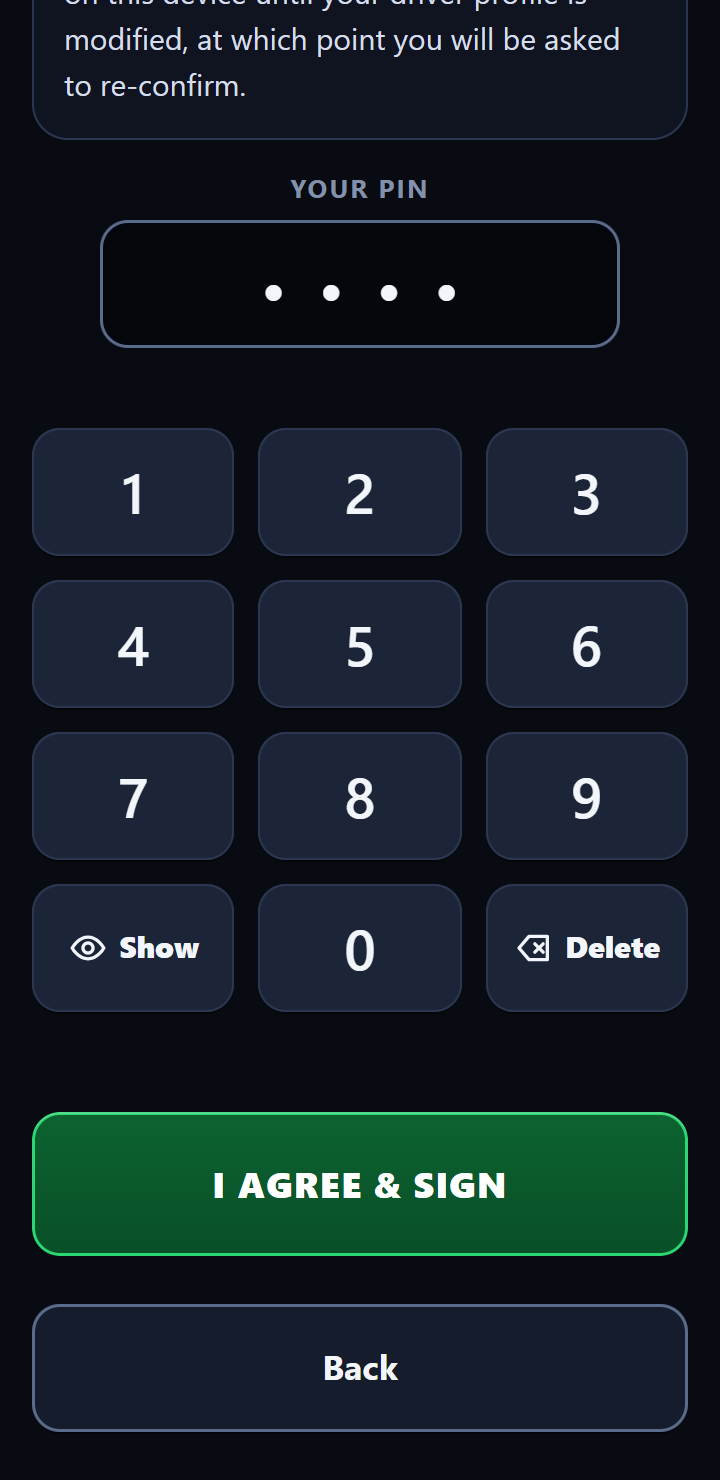
The first time they sign in, drivers read the electronic signature agreement and sign it with their PIN. After that, each inspection is one tap, signed with the driver's PIN on file. A change of bus asks for the PIN again, to re-confirm the agreement.
Mechanic app
It works only with your garage's own key, built into your garage's copy of the app, plus a password for every change and the supervisor pages. Each mechanic can have a password of their own, so the shop's notes carry their name.
Five wrong passwords on a phone lock that phone out for 15 minutes. A phone that's already signed in isn't locked out by someone else's guesses.
Keep the app addresses with your staff
Treat both app addresses as staff-only. Anyone who has them can see your garage's open defects (with driver names and notes), the bus list and the alert settings (which can include the mechanic's email and the mechanic's and supervisor's phone numbers), and could send a report, without a password. Every change in the mechanic app, and the supervisor pages, still need a password. A phone or tablet stays signed in to the mechanic app until someone taps Log Out or its password stops working, so keep signed-in shop devices with your staff.
A report signed with a PIN that doesn't match the driver is still recorded, but the office marks it in the sheet and emails your supervisor and Bob. If more than 10 of those arrive in an hour, the rest send no texts or emails, and one summary email goes out instead.
Shown with made-up demo data
The office's own clock
Each inspection is time-stamped by the office when it arrives, not only by the phone.
Never counted twice
Every inspection carries its own ID. A resend after lost signal is recognized and never makes a second record.
Only adds rows
The app only ever adds inspection rows. It never edits or deletes one, and the inspection log is locked so no one you share the sheet with can type over a signed record.
One at a time
When two drivers send at the same moment, the office files them one after the other, so records never collide.
A log of setting changes
Every change to who gets alerts and reports is written to a change log with the date.
Updates test themselves
Office updates normally go out through a release step that runs a set of self-checks at each garage, and puts the old version back if any check fails.
Backups, incidents and leaving
Backed up every night. A plan for the bad day.
A copy every night
A copy of your master sheet is saved every night and kept for 30 days. On the 1st of each month, your supervisor also gets a PDF of every bus's inspections, and each bus's PDF is filed in a Google Drive folder. We don't delete inspection records while you're a customer.
If something happens to your data
We keep a written incident response plan. If an incident affects your district's records, we tell your district within 72 hours of confirming it, and work with you on any notices Washington law requires.
If you ever leave
Until then, a complete copy of your records is yours whenever you ask. You have 30 days after the agreement ends to take a complete copy, at no charge. We delete your records from the service within 60 days of the end date (sooner if you confirm you have your copy), and backups within 90.
Day 0
The agreement ends. Your records are still there.
Day 30
Last day to take your complete copy, at no charge.
By day 60
Your records are deleted from the service.
By day 90
Backup copies are deleted.
Honest limits
What we'd want to know, if we were you.
No system is perfect. Here's where this one needs your help, stated plainly.
A spreadsheet underneath
Records live in Google Sheets. The app only ever adds inspection rows, and the inspection log, the driver agreement log and the settings change log are locked so only the account we manage can change them. Anyone with edit access, such as your supervisor, can still change the driver, bus and alert lists and the trip entries, and can see driver PINs and mechanic passwords. Keep that list short.
A PIN is a signature, not a password
It's four digits. It's saved on the driver's phone so they don't have to retype it, and your supervisor can see it in the sheet. If a driver thinks someone knows theirs, the supervisor assigns a new one.
When someone leaves
Removing a driver from your roster stops new sign-ins with their PIN. A phone that's already set up, even a driver's own, can still send inspections under that name until the app is cleared on it. The office records them, but marks each one in the sheet as signed with a PIN that's been removed or turned off, and emails your supervisor and Bob about it. Clear the app on district phones and tablets.
For a mechanic, remove their password from your sign-in list, or ask Bob to change a shared one.
Alerts are ordinary texts and emails
Within seconds of a new defect, the mechanic and supervisor get a text with the bus and what's wrong (unless your garage has set quiet hours for texts), and an email that adds the driver's name, their note and a map link when there's a location. Bob gets the same text. Send alerts only to people who should see that.
Location is what the phone reports
It can be blank, and its accuracy depends on the phone. It backs up the record. It doesn't prove where a driver stood.
No outside security audit
We don't have a SOC 2 report or a similar outside audit. What we do have: the security and 72-hour incident terms in the written agreement, this page, and written answers to your district's own security questions.
Want it in writing for your files?
Some IT departments want a written review before anyone signs. Print this page for your files, or send Bob your district's own questions and he'll answer them in writing.